Starting a business?
You’ve got backup.
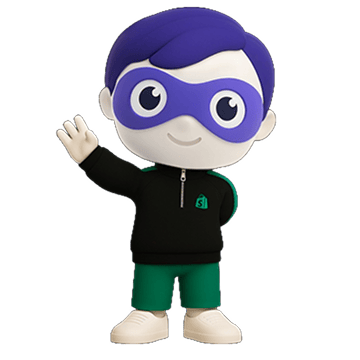
Meet Sidekick.
Your launch team
in one tool.
Hear from brands who made Sidekick part of their team
Popular prompts to get you started
Sidekick keeps getting smarter
NOVEMBER 17, 2026
Analyze your metafields and metaobjects with Sidekick
Sidekick can now use your store’s metafields and metaobjects to answer analytics questions. Ask about the details you track like fabric or supplier, and get a breakdown alongside your sales metrics.
OCTOBER 28, 2026
Get AI tested storefront suggestions from Sidekick
Sidekick can stage storefront changes in a draft, test them with AI-simulated shoppers (SimGym), then show you the recommendation to review.
OCTOBER 24, 2026
Generate images with transparent backgrounds in Sidekick
Sidekick can now generate images with transparent backgrounds, so you can use your graphics across different backgrounds in your store and marketing.
Questions?
Does using Sidekick cost money?
No. Sidekick is included with your Shopify plan. Features and usage limits vary by plan.
How do user permissions work in Sidekick?
Every staff member can use Sidekick based on their admin permissions. It respects access controls, so team members only interact with data and features they're authorized to use.
What makes Sidekick different from other AI tools?
Sidekick knows your business. It has direct access to your Shopify data, understands commerce workflows, and takes action in your admin. Generic AI tools can't see your store or complete tasks for you.
Can I use Sidekick in different languages?
Yes. Sidekick adapts to your store's language settings and can help you in multiple languages. Ask questions in the language you're most comfortable with.
How do I get started with Sidekick?
Open your Shopify admin and click the purple glasses icon. That's it. No setup, no configuration. Just start asking questions about your business and Sidekick will help.