Reclaim Your Storage.
Keep Your Best Photos.
ShutterSlim uses AI to find similar photos in your Photos.app library and recompresses oversized videos—so you reclaim gigabytes of space without losing the moments that matter. You review every suggestion before anything is deleted.

The Problem
Your photo library is full of similar shots you don't need.
Burst mode shots. Multiple takes of the same scene. Slight variations you'll never look at twice. Over time, these pile up—wasting gigabytes of storage and making it harder to find the photos that actually matter.
30% Average rate of similar photos in libraries
5GB+ Typical storage wasted on similar shots
Features
Smart detection of similar photos that actually works.
AI-Powered Analysis
Uses Apple's Vision framework to create neural network fingerprints—not just filename or timestamp matching.
Quality Scoring
Suggests the sharpest photo with the best composition, face quality, and resolution—but you make the final call.
You're In Control
Nothing is deleted without your approval. Review every group, then confirm before anything is removed.
Lightning Fast Rescans
Smart caching means the first scan takes minutes, but future scans take seconds.
Flexible Scanning
Scan your entire library, specific albums, or folders. Clean up vacation photos without touching everything else.
Recompress Big Videos
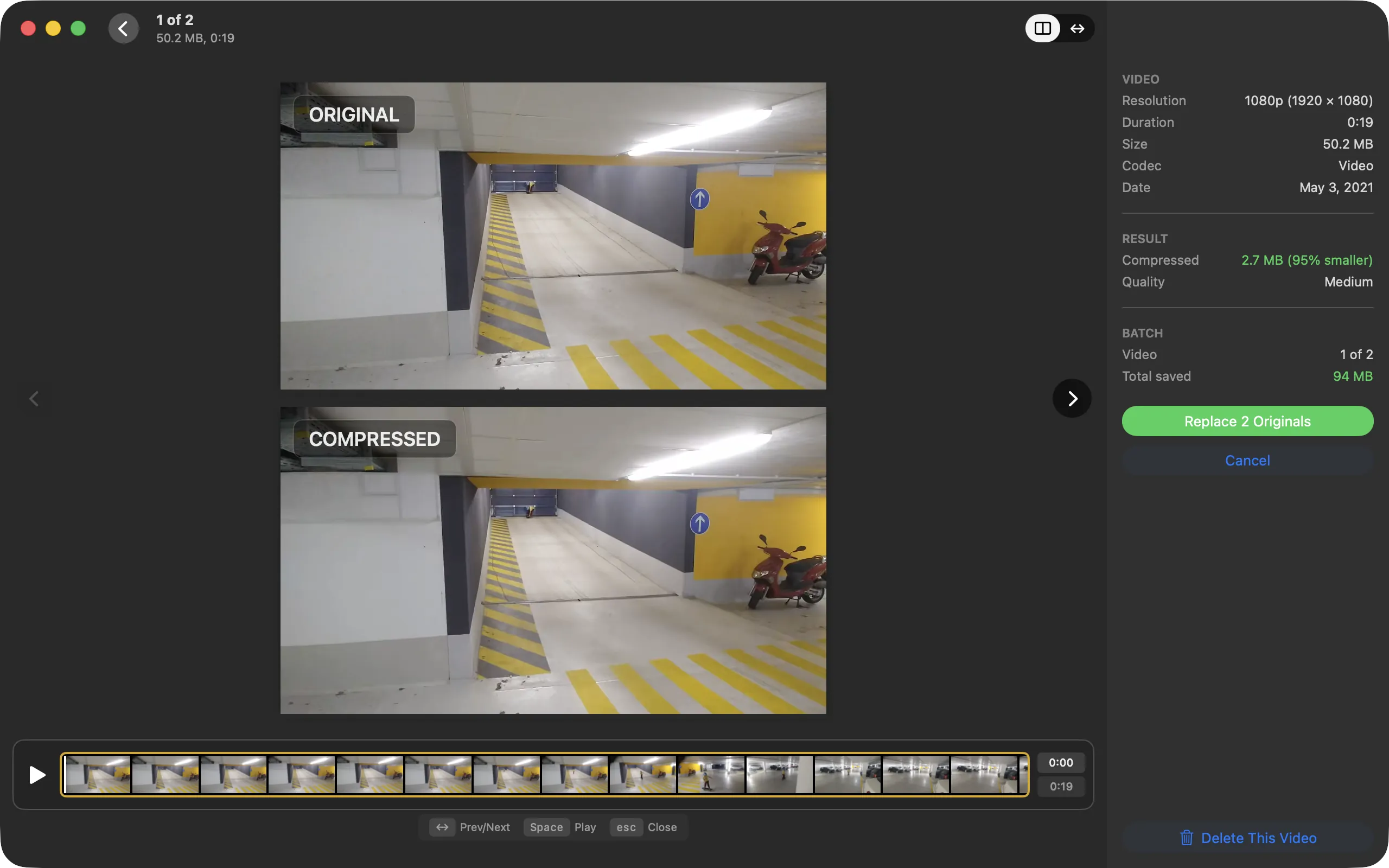
Modern HEVC re-encoding can shrink old videos by 70–90% with no visible quality loss. Compare before and after side-by-side, then replace originals only when you're satisfied.
How It Works
Three steps to a cleaner photo library.
1
Select & Scan
Choose an album, folder, or your entire Photos.app library. ShutterSlim analyzes every locally-stored photo using AI to find visually similar images and groups them together.
- Real-time progress with estimated savings
- Scans thousands of photos in minutes
- Works entirely offline—your photos never leave your Mac
2
Review & Decide
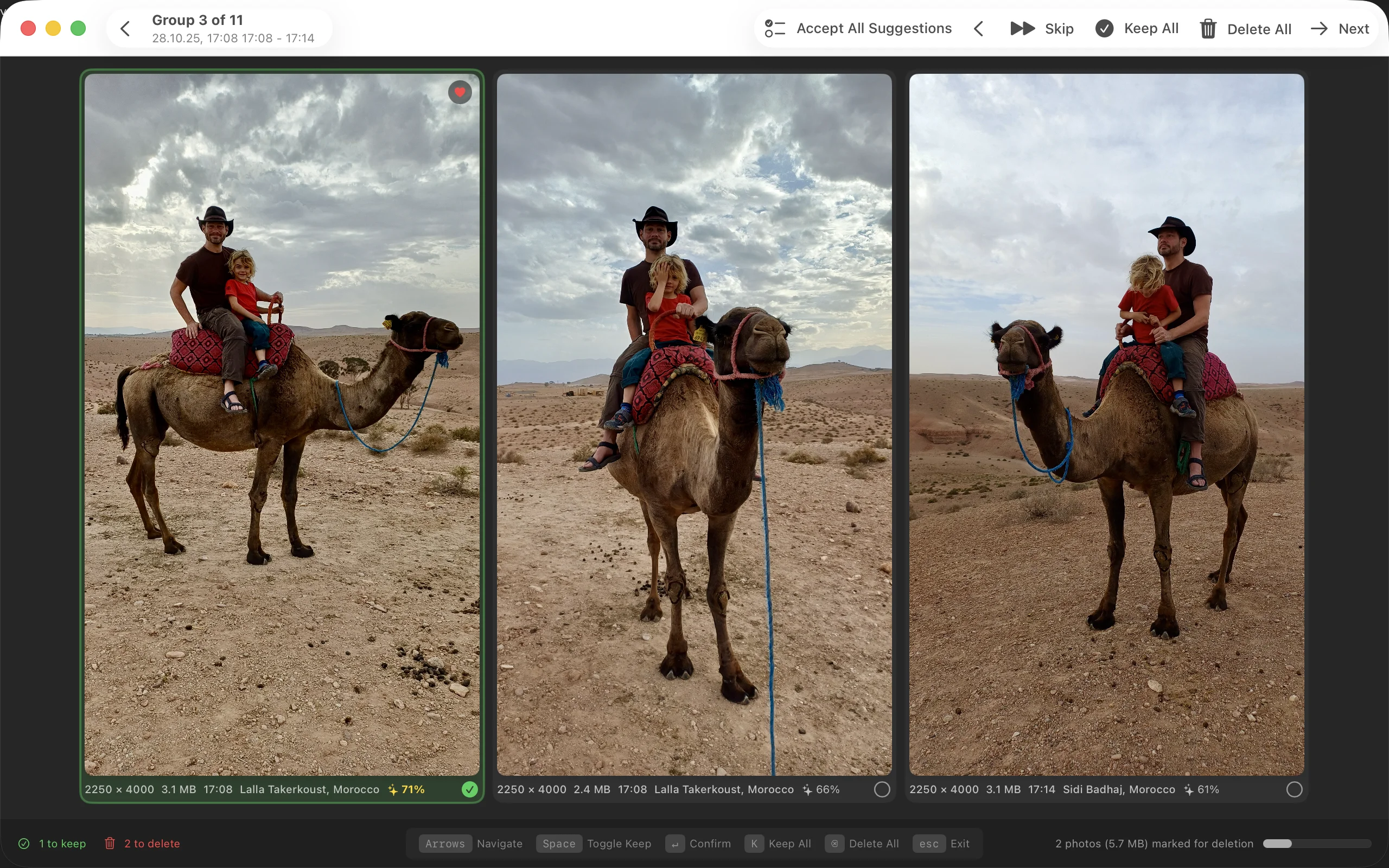
See groups of similar photos side-by-side with quality scores. The AI pre-selects the best photo in each group, but you have full control to override any decision.
- Grid view for quick comparison
- Fullscreen mode for detailed inspection
- Keyboard shortcuts for power users
3
Confirm & Clean
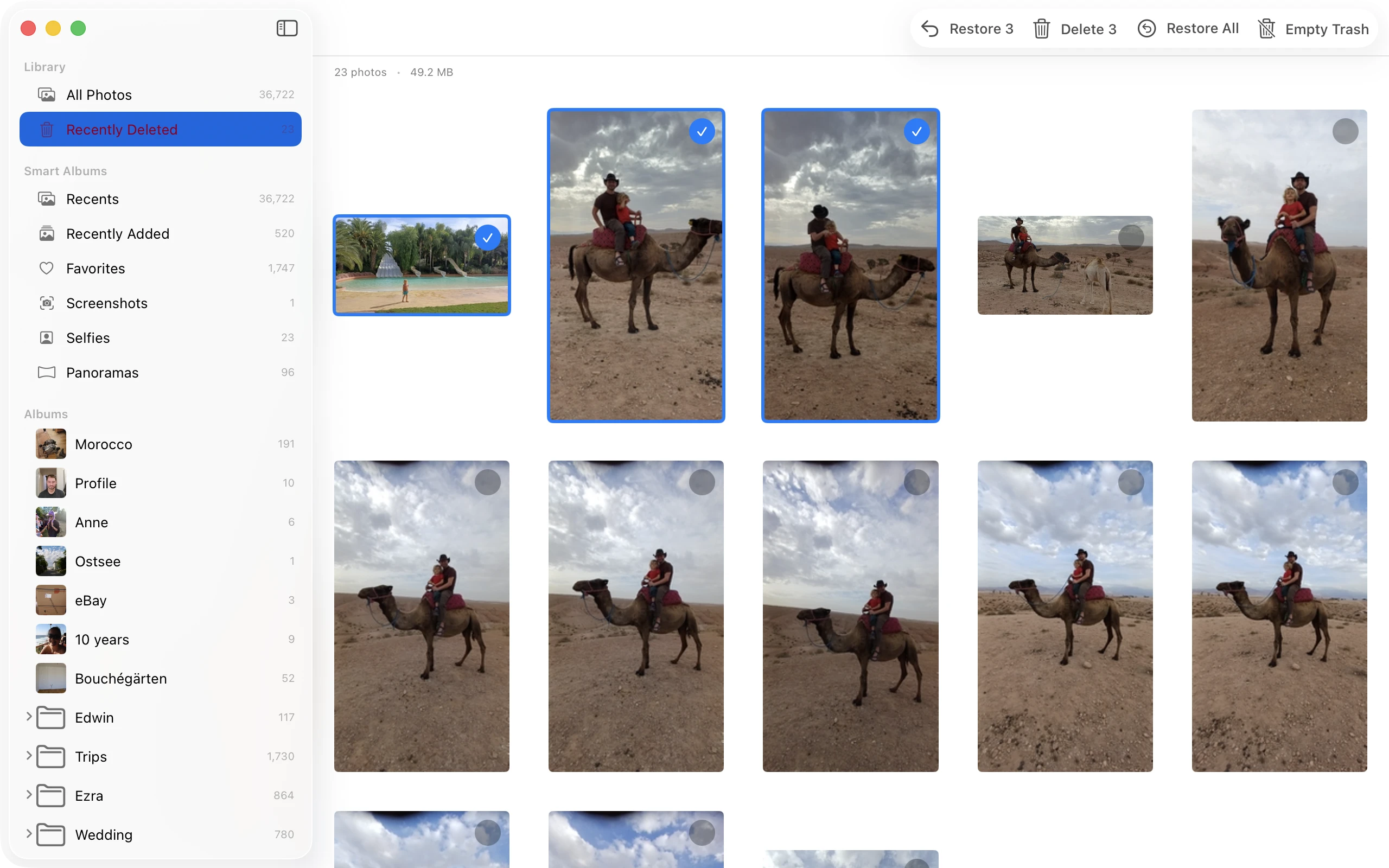
Review your trash before deletion. See exactly how much space you'll free. Deleted photos go to Photos.app's Recently Deleted for 30 days—just in case.
- Restore any photo before permanent deletion
- See storage savings in real-time
- Empty trash when you're ready
Pro Feature
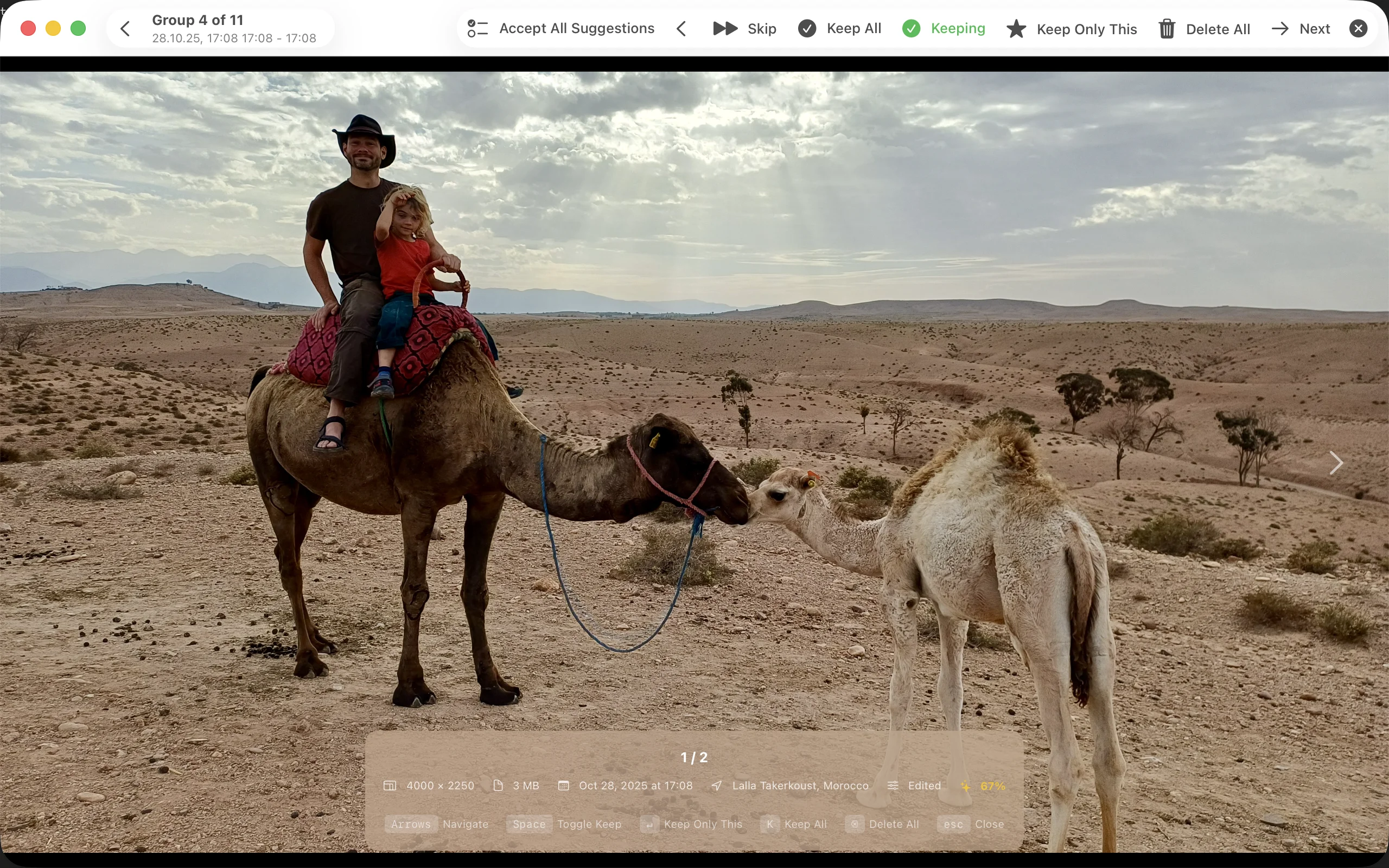
Fullscreen comparison for pixel-perfect decisions.
When you need to see every detail, enter fullscreen mode. Compare photos at full resolution with keyboard shortcuts for lightning-fast decisions.
New in 2.0
Slim down old videos without losing quality.
Videos shot years ago use codecs that waste space on modern Macs. ShutterSlim re-encodes them with HEVC, often shaving 70–90% off the file size. Review every result with a side-by-side player before replacing the original—and the original only goes to Photos.app's Recently Deleted, so it's recoverable for 30 days.
Ready to slim down your photo library?
Free on the Mac App Store. A one-time $9.99 in-app purchase unlocks unlimited duplicate review and unlimited video compression.
Download on the App StoreRequires macOS 14 Sonoma or later
Works with local photos in Photos.app (iCloud-only photos not supported)