Notes Plus — The Apple Notes Alternative

Notes Plus

3 min read Original article ↗

The Apple Notes alternative.
Every note is a local Markdown file.

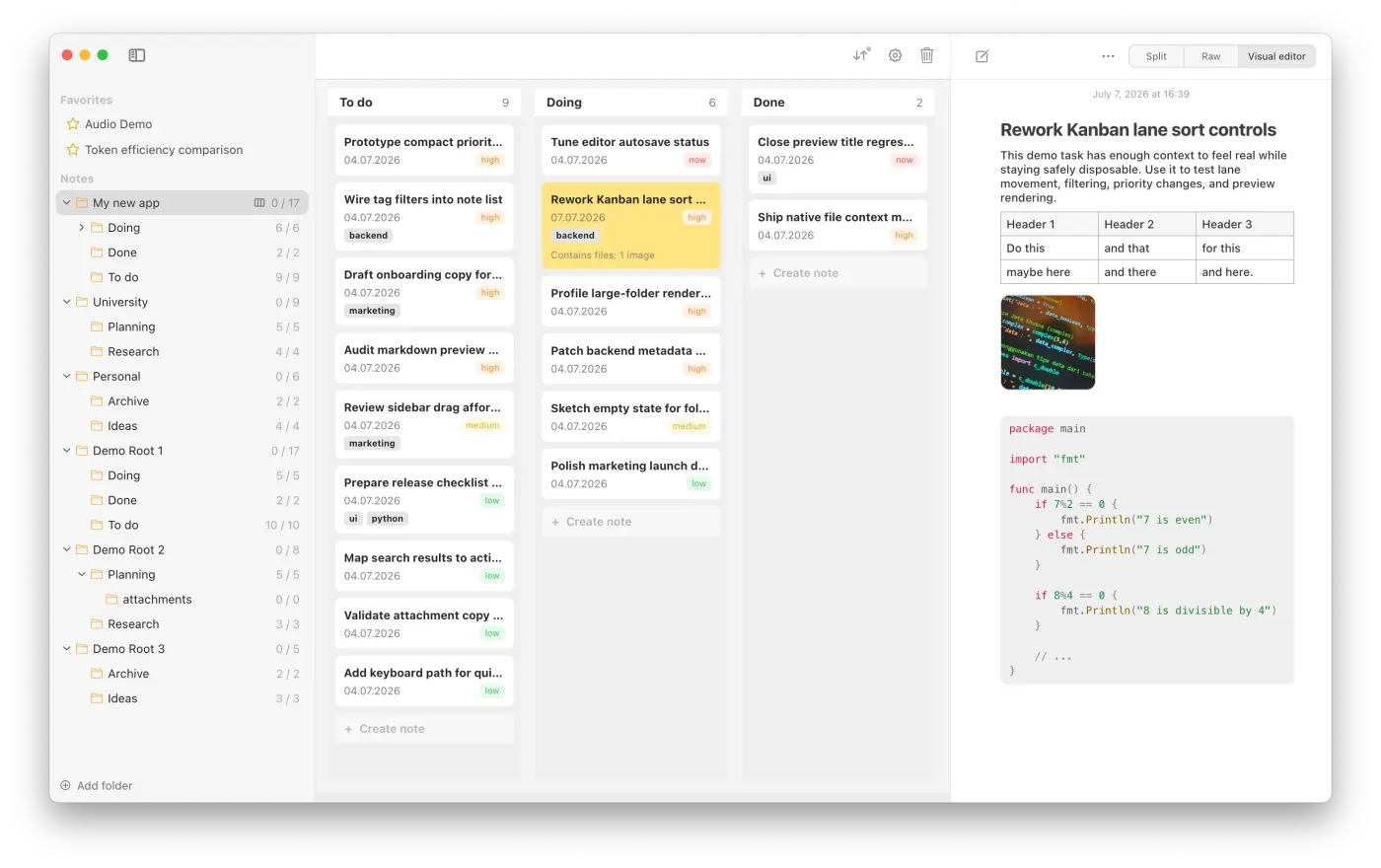
Notes Plus is my personal project to clone Apple Notes, but built on Markdown files and full of features: tags, priorities, favorites, a Kanban view (vertical swimlanes) and syntax-highlighted code.

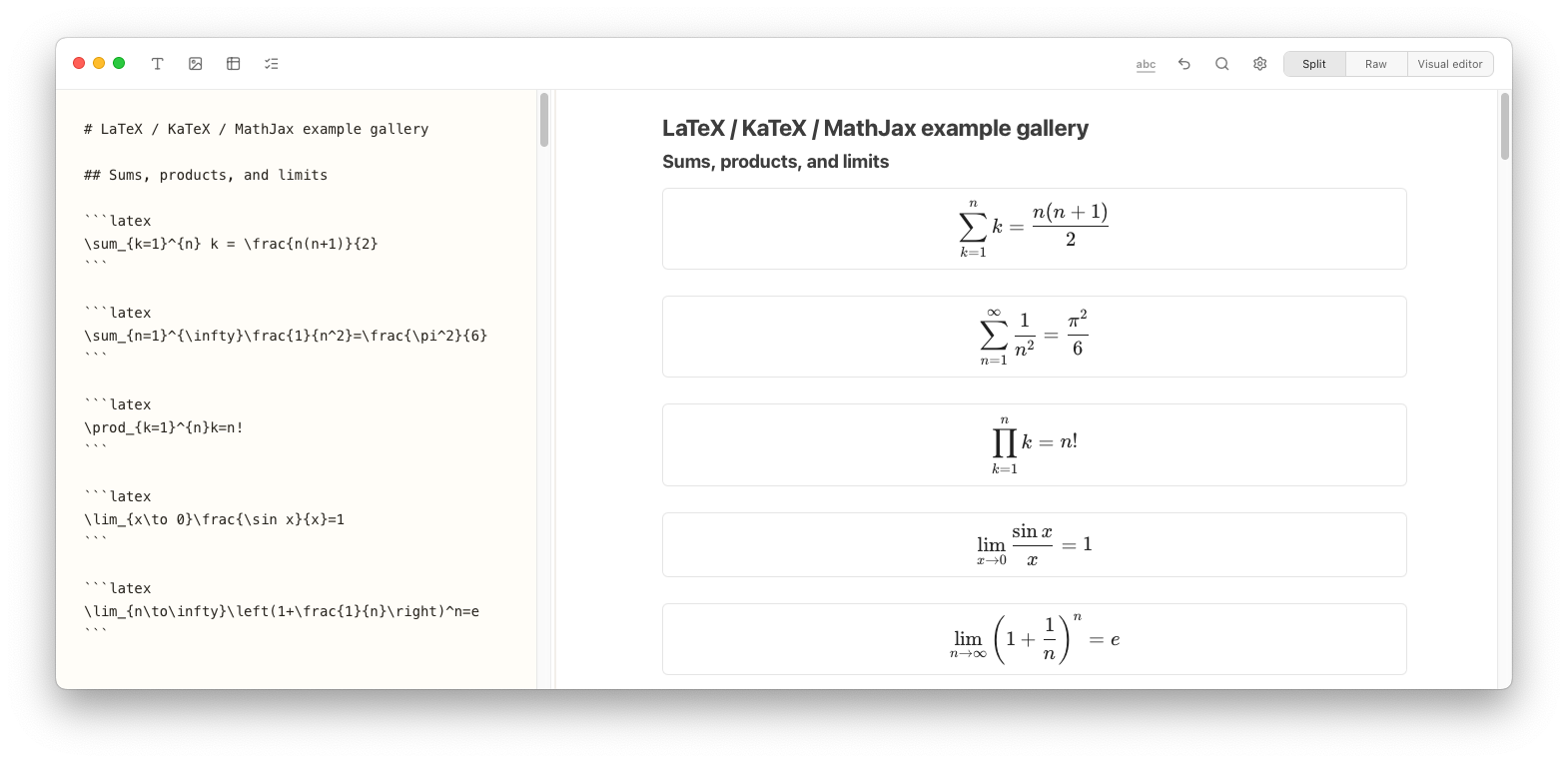
Render as you type: LaTeX, inline math, AsciiMath, Mermaid, PlantUML, Graphviz, Vega-Lite charts, Excalidraw sketches and mhchem equations, footnotes and citations. Raw view, WYSIWYG Markdown editor or split view.

iCloud sync, small size, fast, and available in multiple languages: English Simplified Chinese Traditional Chinese Japanese German Spanish Russian Ukrainian French Brazilian Portuguese

v0.5.0 (12 MB) · M1 or newerDownload for Mac v0.5.0 (10 MB) · Windows 10 / 11Download for Windows v0.5.0 (12 MB) · Intel chipDownload for older Intel Mac

Screen recording of Notes Plus converting typed Markdown headings into formatted content across Raw, Split, and Visual editor modes.
Psst… explore how the editor works

Plain Markdown files Kanban board view Tags & priorities Favorite notes & folders LaTeX & math Diagrams & charts iCloud sync Tiny app

New in v0.4: iCloud sync on macOS and full translations to Chinese, German and Japanese. It's tiny (9–12 MB) and runs on macOS and Windows 10 / 11. iOS and Linux are on the roadmap.

LaTeX, KaTeX & MathJax. Rendered instantly.

Notes Plus handles many formats and renders them as you type.

See LaTeX examples
Notes Plus showing LaTeX sums, products, and limits rendered in split view.

Your folders, as a Kanban board.

Every ticket is still a plain Markdown file on your disk; every lane is just the folder it lives in. Drag & drop tickets, rearrange lanes, filter, search and sort — and drop in images, files or audio.


Explore Kanban view
Notes Plus Kanban view showing Markdown notes arranged in swimlanes.

Every Markdown flavor, handled gracefully.

Different tools interpret Markdown differently. Notes Plus makes imported notes look right, with small controls for the details that matter.

Explore Markdown rendering

Screen recording of Notes Plus toggling line-break settings so a Markdown note’s separate lines either run together or remain separate.

Screen recording of Notes Plus rendering typed Markdown headings in the visual editor.

Copy & paste

Straight from Apple Notes.

Most formatting, tables and even checkbox lists come along. Apple's format is hard to export — work in progress, but getting close.

Screen recording of an Apple Notes note pasted into Notes Plus while retaining its heading, table, and explanatory text.

Copy & paste

Straight from ChatGPT.

Turn responses into useful notes in seconds. Tables, headings and links stay in order. How it works.

Screen recording of a ChatGPT response copied into a Notes Plus Markdown note while retaining its heading, table, and formatting.

Priority

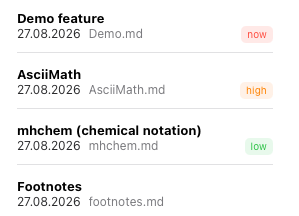
Priority markers on every note.

Now, high, medium, low — or your own, in custom colors. Sort and filter folders by priority.

Notes Plus note list with color-coded priority labels.

Tags

Organize with tags.

Define tags, add them to notes, then sort and filter folders by them.

Notes Plus note list with math, v0.3, and chemistry tags.

Free while in alpha & beta.

After the stable release, Notes Plus becomes a $19 one-time lifetime license.

v0.5.0 (12 MB) · M1 or newerDownload for Mac v0.5.0 (10 MB) · Windows 10 / 11Download for Windows v0.5.0 (12 MB) · Intel chipDownload for older Intel Mac