Feels like Finale
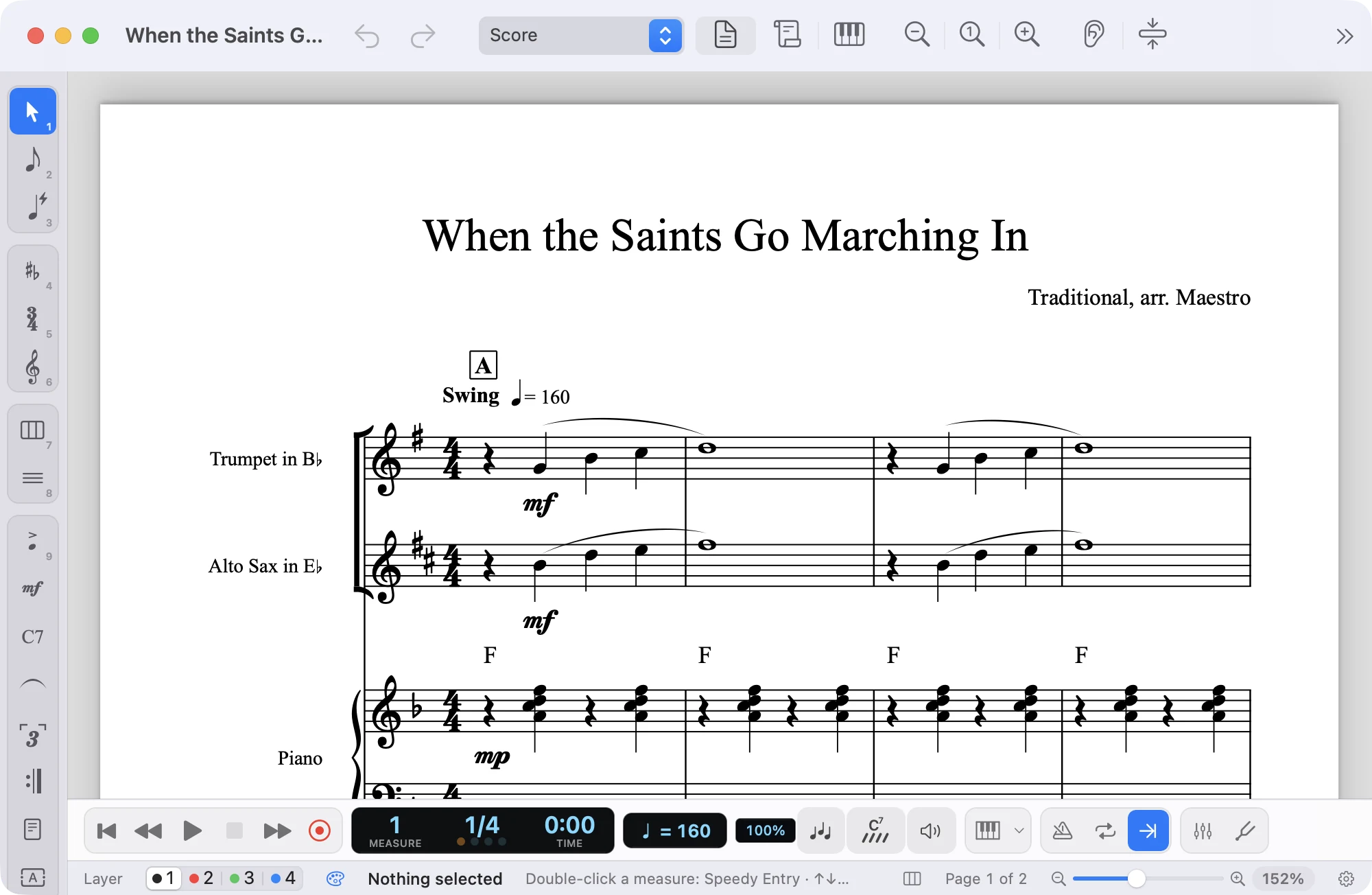
Simple Entry and Speedy Entry, the Main Tool Palette, Page View and Scroll View: years of habits still work.
Maestro
Music notation editor
Maestro is a music notation editor designed for people coming from Finale: enter notes quickly with the keyboard or MIDI, listen, and print score and parts.


Version 1.22.0Free, with no limitations!For Mac, Windows and iPad
Opens and saves
What it does
Simple Entry and Speedy Entry, the Main Tool Palette, Page View and Scroll View: years of habits still work.
Finale (.musx and .mus), MuseScore (.mscz), Guitar Pro, Encore (.enc), MusicXML and MIDI scores become Maestro documents, ready to edit, and go back to Finale as .musx when needed; iReal Pro songs become lead sheets with chord symbols. Finale’s fonts are built in.
Playback with performance styles (Baroque, Classical, Romantic, jazz) that play like a musician, General MIDI sounds, mixer, swing and metronome; export to M4A, MP3 or WAV, including backing tracks without your part.
Automatic layout, parts with cue notes, guitar and bass tablature, your choice of music font. Print-ready PDFs and PNG or SVG images.
Setlists as a single PDF or audio, tuner, tap tempo and a visual metronome.
Analyze chords, harmonize a melody for a horn section, check instrument ranges.
Coming from Finale? Here’s how to switch to Maestro Coming from MuseScore? Open your .mscz files Coming from Dorico? Bring your projects into Maestro Have Guitar Pro files? Open them with their tablature
Highlights
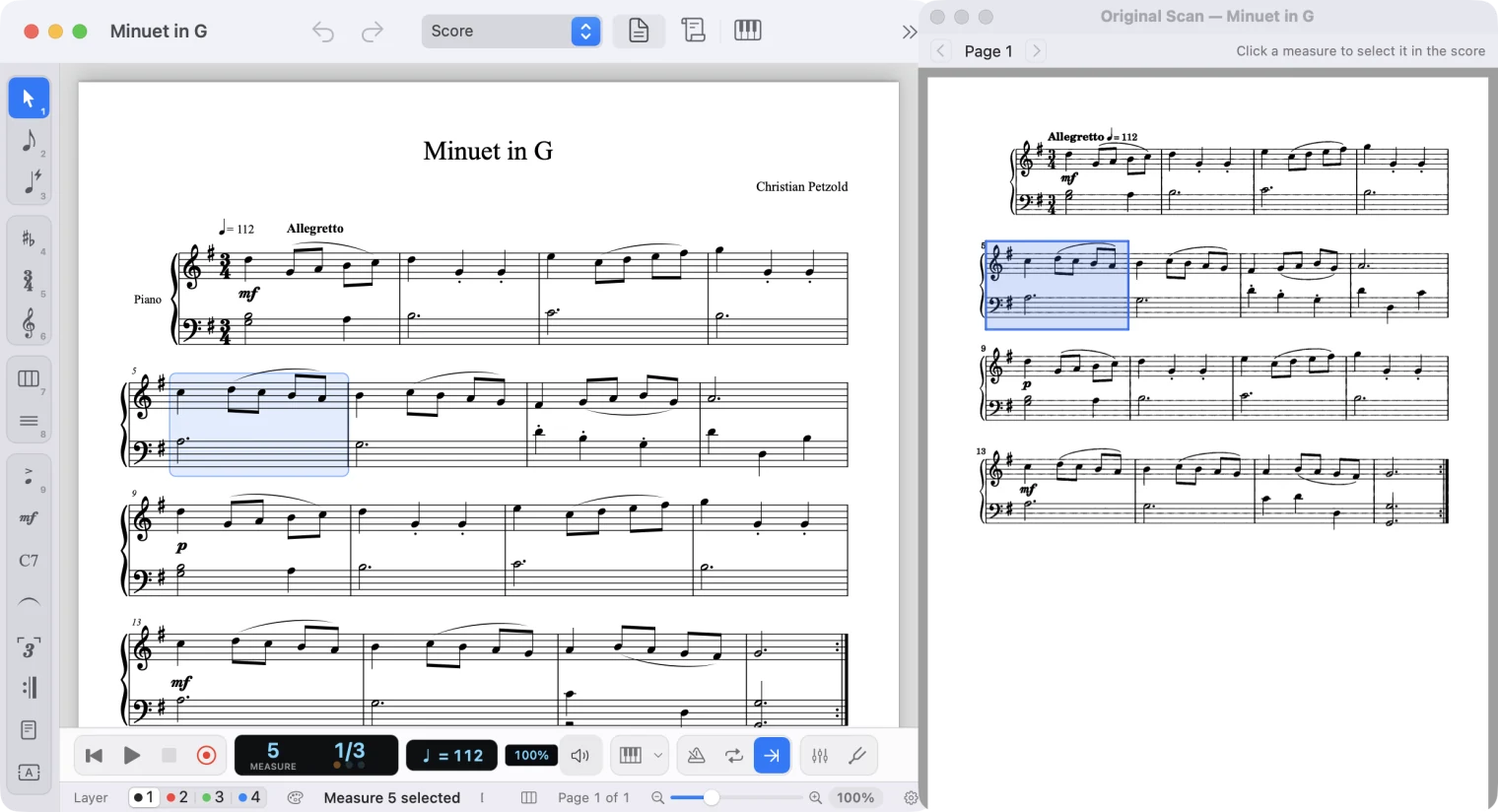
Scan or photograph a printed score and Import Scanned Score turns it into notes you can edit: it first straightens crooked pages and cleans up the background, then recognizes them with Audiveris. Correct it with the original scan alongside, which highlights the measure you’re working on.
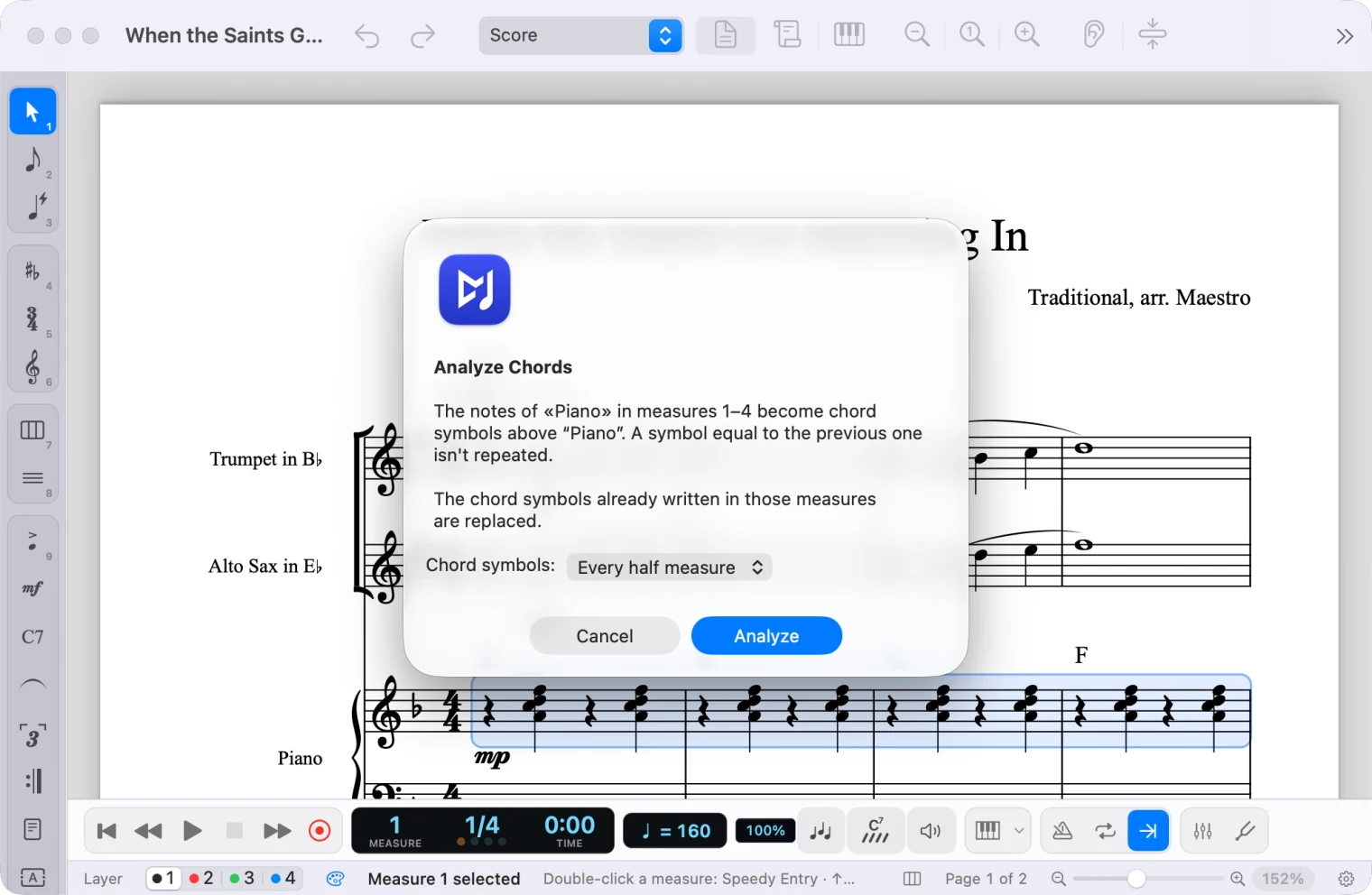
Analyze Chords reads the notes and writes the chord symbols, with tensions and inversions: G13, C7(♭9), C/E. From those symbols, Harmonize Section spreads the melody across the saxes or the brass, in block voicing or drop 2.
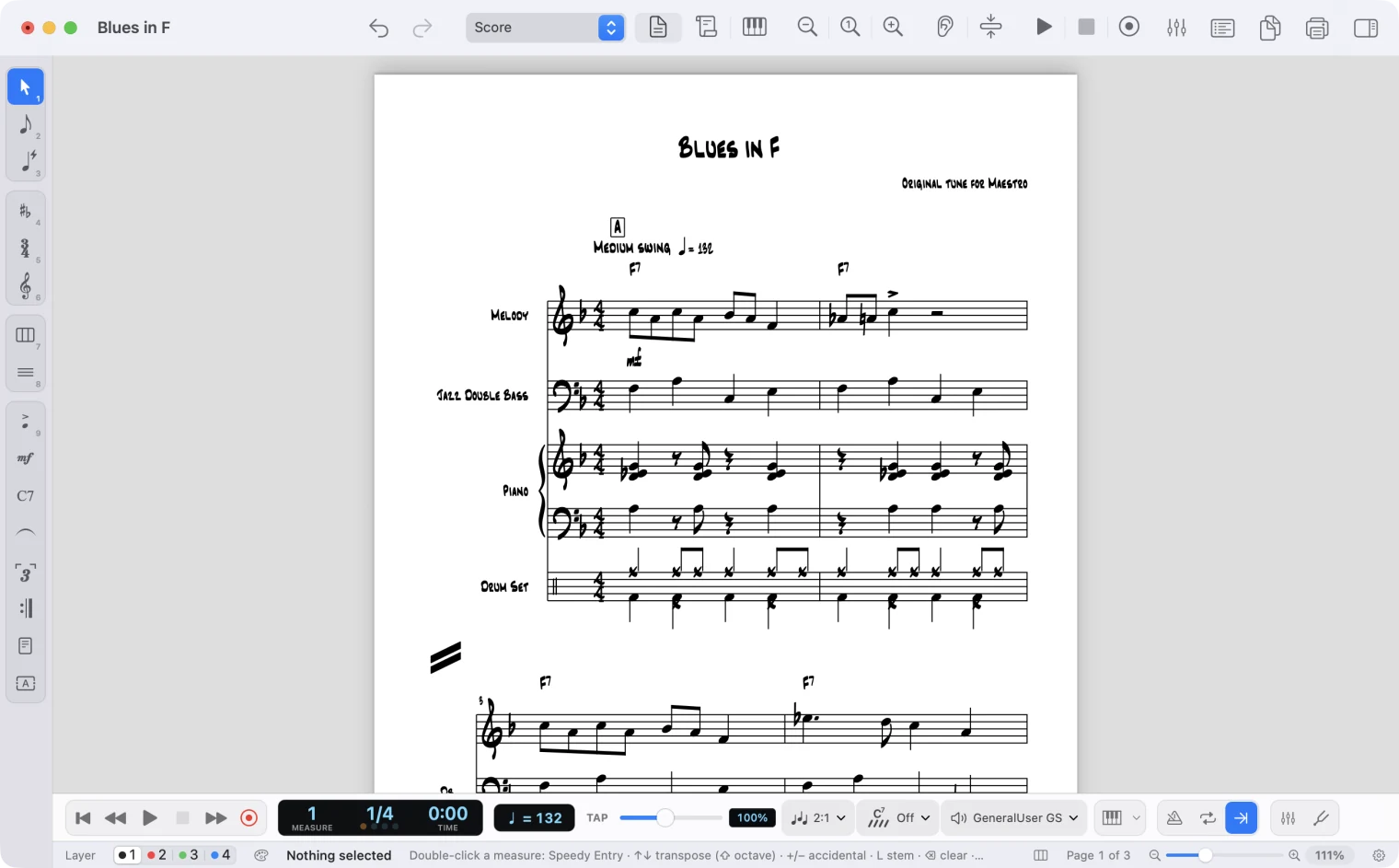
From the chord symbols, bass, piano and drums back you up while you practice a solo: swing, ballad, bossa nova, funk, salsa and more, with a fill at the end of each section and an ending. Write into the score turns the accompaniment into real staves, ready to print.
Like Finale’s Staff Styles: Document → Staff Styles… gives a stretch of measures slashes, rhythmic notation or repeats, a staff with zero to five lines, tablature, shape notes, hidden stems or noteheads, another name or another size. A colored band marks them on screen, they can differ in the parts, and they travel in Finale files and MusicXML.
The Drawing tool draws on the staff with a pen, lines, arrows, curves, rectangles, ellipses, growth lines, bands and waves, dashed or in transparent gray too. Each drawing belongs to its measures and stretches with the spacing; on iPad you draw with Apple Pencil, and the pen gets thicker where you press harder.
Write the melody and the lyrics: Maestro lets you hear them sung by a synthetic voice, syllable by syllable, to try out a song, a choir part or an aria before it reaches the singers.
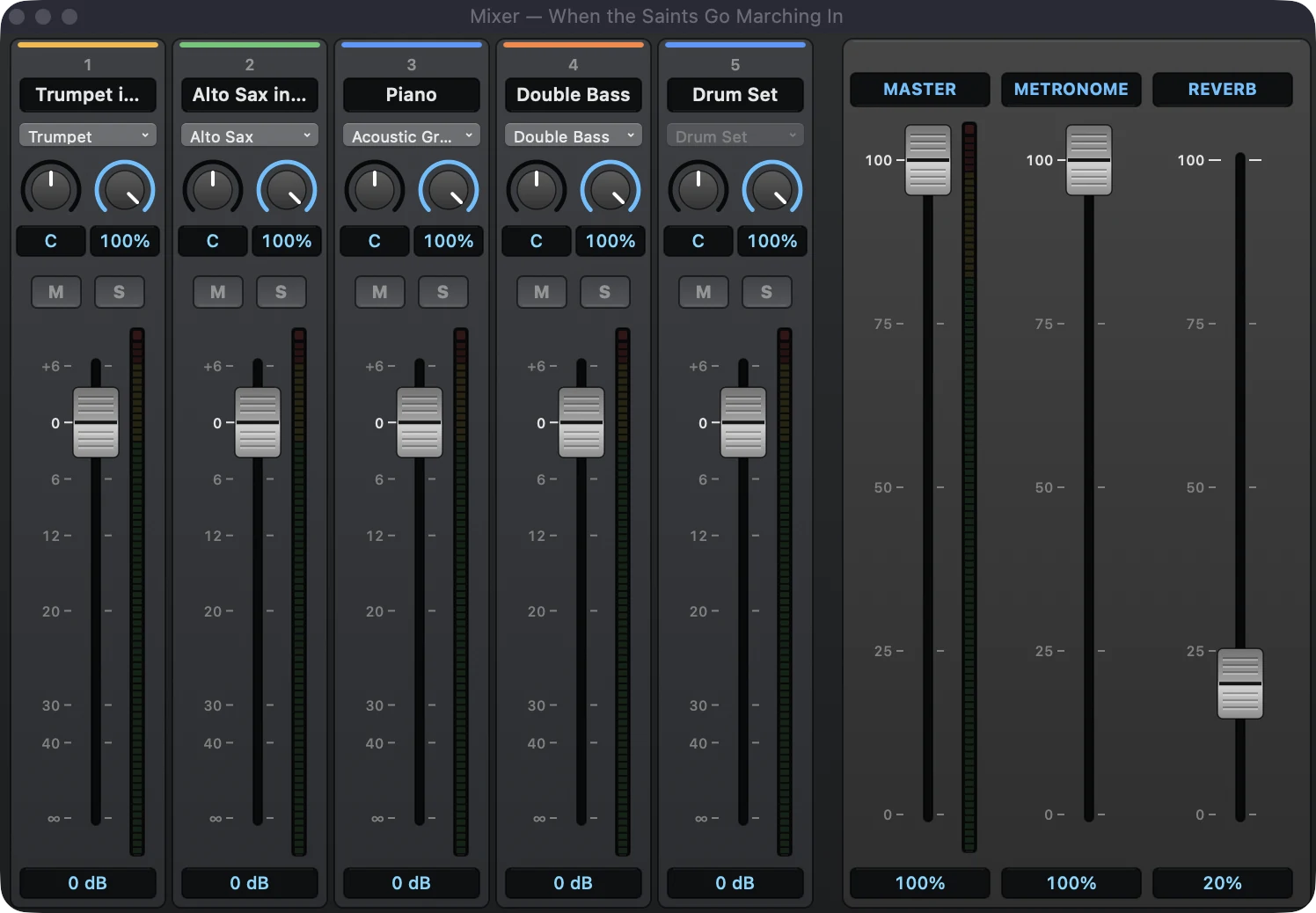
A studio console with a channel for each instrument: sound, pan, reverb, mute and solo, fader and stereo meters, plus master, metronome and reverb. Right-click to type exact values, copy settings from one channel to another and pick each channel’s color; the look can be customized, light theme included. You hear it at once, even while the score plays, and the settings are saved in the score.
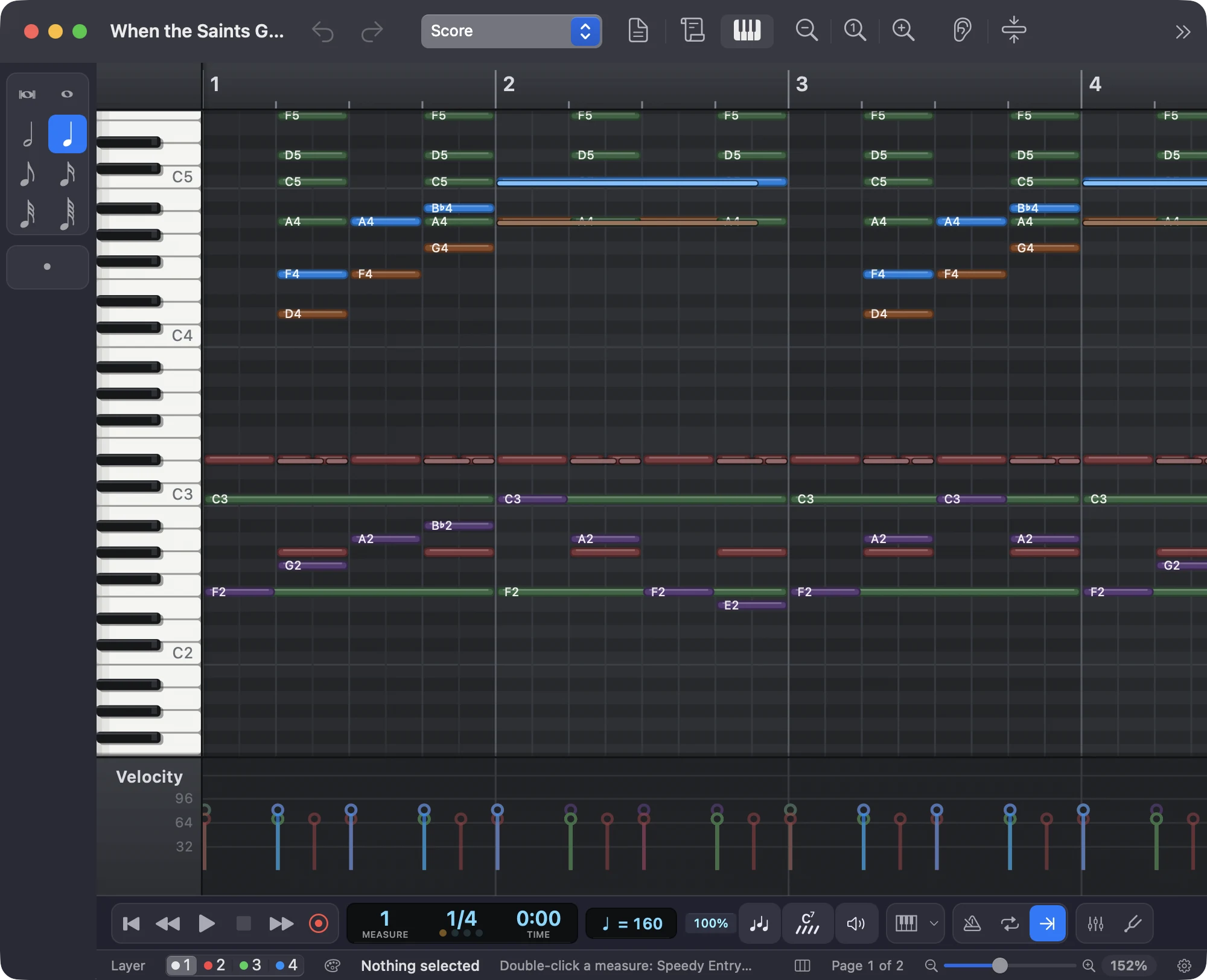
View → Piano Roll shows the score as bars over a keyboard: look at it, listen to it and fix it by dragging notes, and the notation rewrites itself.
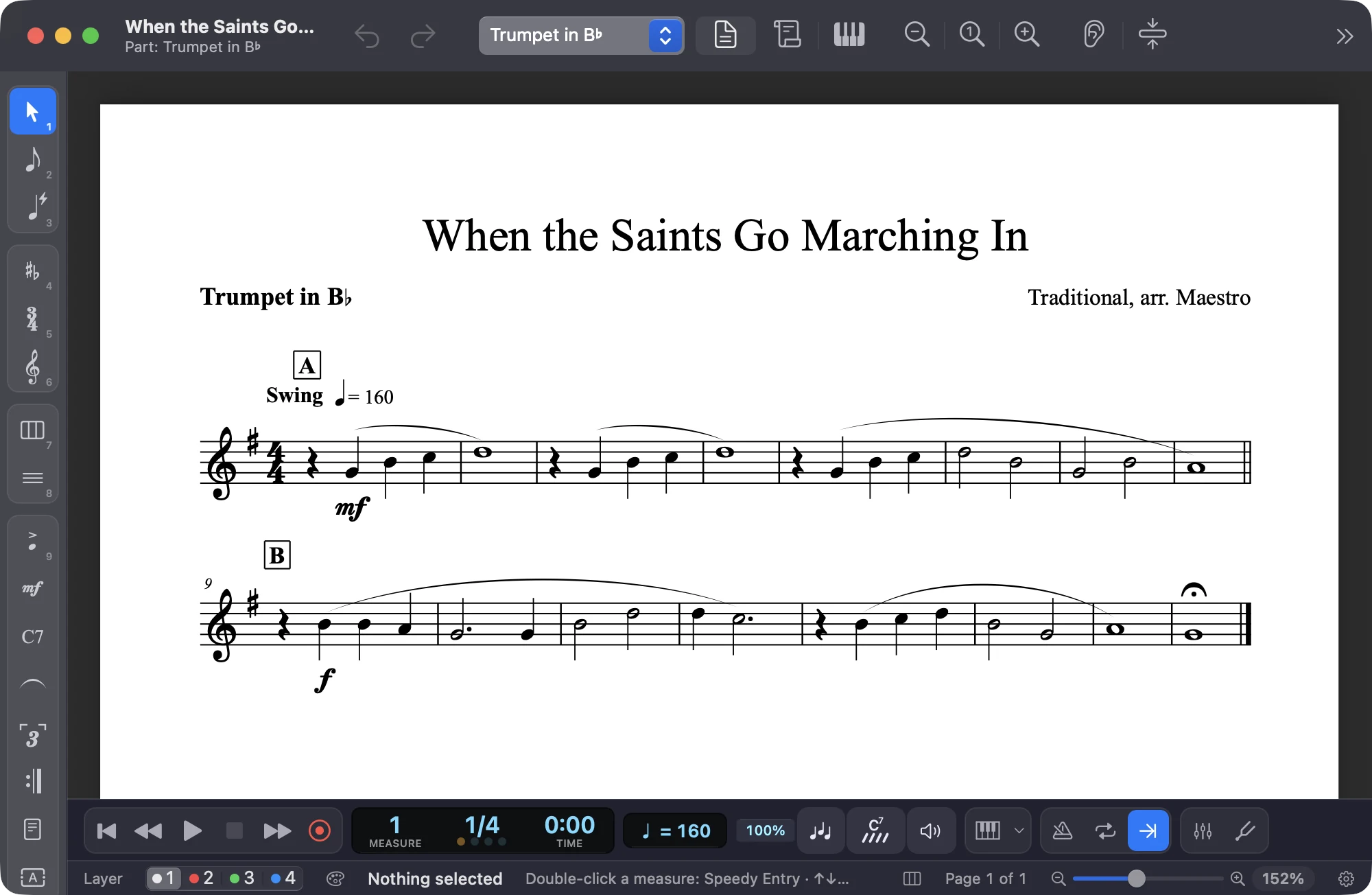
From score to parts in one click: each instrument has its own layout, with multimeasure rests, rehearsal marks, dynamics and cue notes.





Below the score, a panel follows the instrument: piano, drums, a guitar or string fingerboard, xylophone bars, harp and koto strings; plus pads for the chords in the key, an isomorphic grid and wind fingerings. A click plays the note and, while you write, puts it in the score.

Where music happens
On the sofa, on the living room rug or in the rehearsal room: write the idea down as soon as it comes, with your computer keyboard, and hear it right away.
Why trust it
The Mac app is signed and notarized by Apple: it opens without warnings.
No account and no data collected: Maestro only goes online to check for updates.
155 versions since 29 September 2026, the latest on 27 November 2026. Maestro updates itself.
You can always export them as MusicXML, the open format read by Finale, MuseScore, Sibelius and Dorico, and as .musx to reopen them in Finale.
Yes: no limitations, no subscription and no account, on Mac and Windows. And it will stay free.
On Macs with macOS 13 Ventura or later, Apple Silicon or Intel; on PCs with 64-bit Windows 10 or 11, with an Intel, AMD or ARM processor. A score saved on one opens on the other.
Yes: .musx files and older .mus files too, from Finale 1.0 onwards, without Finale installed. Finale’s fonts are included, so the score opens looking the way it should. MuseScore (.mscz), Guitar Pro, Encore (.enc), MusicXML (including files exported from Sibelius and Dorico) and MIDI files open as well.
Yes. Maestro saves in its own format (.maestro); Export Finale (.musx) in the File menu reopens it in Finale with its layout, and Export MusicXML takes it to MuseScore, Sibelius or Dorico. It also exports PDF, MIDI, audio (M4A, MP3 or WAV), PNG or SVG images, LilyPond and MEI.
No. Maestro works offline and without signing up: it only goes online to check for updates, and it collects no data about you or your scores.
Yes: with NVDA, JAWS and Narrator on Windows and VoiceOver on the Mac, Maestro tells you every note you enter and where you are in the score, and it works from the keyboard. All about accessibility →
Maestro is free, for Mac and Windows. Download it and open your first score in a minute.