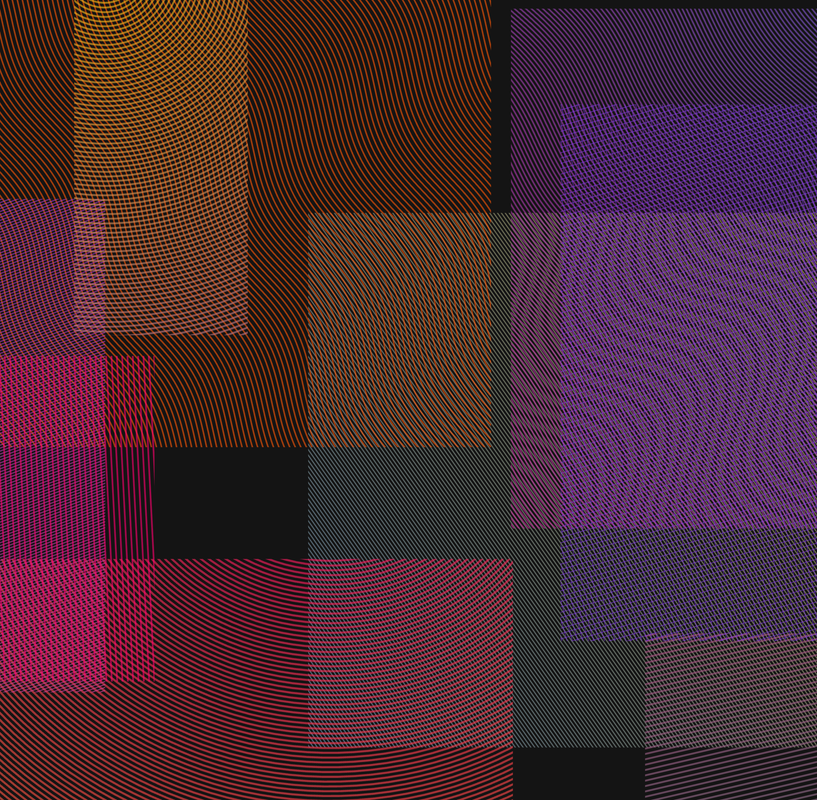
A web-based tool for creating customizable geometric patterns with line textures and colors. Each pattern is reproducible using a seed system.
Features
- Infinite Unique Patterns - Generate endless variations of geometric designs
- Shareable Links - Every pattern has its own URL; copy it and anyone sees the exact same image
- History - Step back and forward through everything you've generated, so a good one is never lost
- Formats - Fit screen, 1:1, 4:5, 9:16, 16:9, A4 or any custom size
- PNG & SVG Export - PNG at 1×–4× resolution, or vector SVG for print, plotters and design tools
- Palette & Style Control - Lock one of 7 palettes and choose which of 5 styles (lines, crosshatch, dots, waves, circles) appear
- Backgrounds - Dark, light, transparent or any custom color
- Texture Scale - Make the line work finer or bolder without changing the composition
- Responsive Design - Works on desktop and mobile
- No dependencies - Plain HTML, CSS and JavaScript; nothing to install or build
Quick Start
- Visit the generator
- Press SPACE or click Generate to create a new design
- Use ← / → to go back to earlier patterns
- Click Copy link to save or share the exact pattern
- Open Options to pick a format, palette, styles, background and export resolution
- Click Save PNG or Save SVG to download your creation
Keyboard shortcuts
| Key | Action |
|---|---|
Space |
New pattern |
← → |
Previous / next pattern |
S / V |
Save PNG / SVG |
C |
Copy link |
T |
Toggle transparent background |
O |
Options panel (Esc closes it) |
Pattern Generation Algorithm
- Generates 8-15 overlapping shapes per pattern
- Each shape has randomized:
- Position, size, and rotation
- Two-color gradient
- Line pattern and spacing
- Stroke weight
- Shapes are layered by size (largest first)
- Clipping masks contain patterns within bounds
Seed
Each pattern has an 8-character alphanumeric seed (e.g., A7bX9mK2), and you can type any text as a seed. The seed determines:
- Color palette selection
- Number and properties of shapes
- All random parameters
Shape positions and sizes are proportional to the canvas, so the same seed in the same format gives the same image on any device. In Fit screen mode the canvas is your window, so the composition adapts to its shape; Copy link pins the current size so the recipient still gets an identical image.
Forcing a palette or turning styles off keeps the seed's composition and only swaps the colors or textures.
Links
The pattern lives in the URL hash, so links are stable and can be edited by hand:
https://pxl-pshr.github.io/geometric-pattern-generator/#seed=A7bX9mK2&format=square&palette=ocean
| Parameter | Values |
|---|---|
seed |
any text (a bare #A7bX9mK2 works too) |
format |
square, portrait, story, landscape, a4 (default: fit screen) |
size |
custom size, e.g. 2560x1440 |
palette |
sunset, ocean, neon, pastel, forest, fire, cyberpunk (default: chosen by seed) |
styles |
comma list of lines, crosshatch, dots, waves, circles |
bg |
light, transparent, or a hex color like 1b1f3b (default: dark) |
texture |
0.5 to 3 (default: 1) |
Development
No build step. Serve the folder and open it in a browser:
index.html,style.css- page and stylessrc/generator.js- the pattern engine (seeded RNG, layout, canvas and SVG renderers); no DOM accesssrc/app.js- UI, links, history and export
npm test runs the engine tests, including golden values that pin existing seeds to the output of the original version. If you change the engine and those fail, every seed people have shared will change.
License
This project is licensed under the MIT License - see the LICENSE file for details.
Gallery
Share your Gens: #geogen
Made by pxl-pshr.