
The reference manager you share with your agent
Website · Install · User guide · Privacy · Sponsor


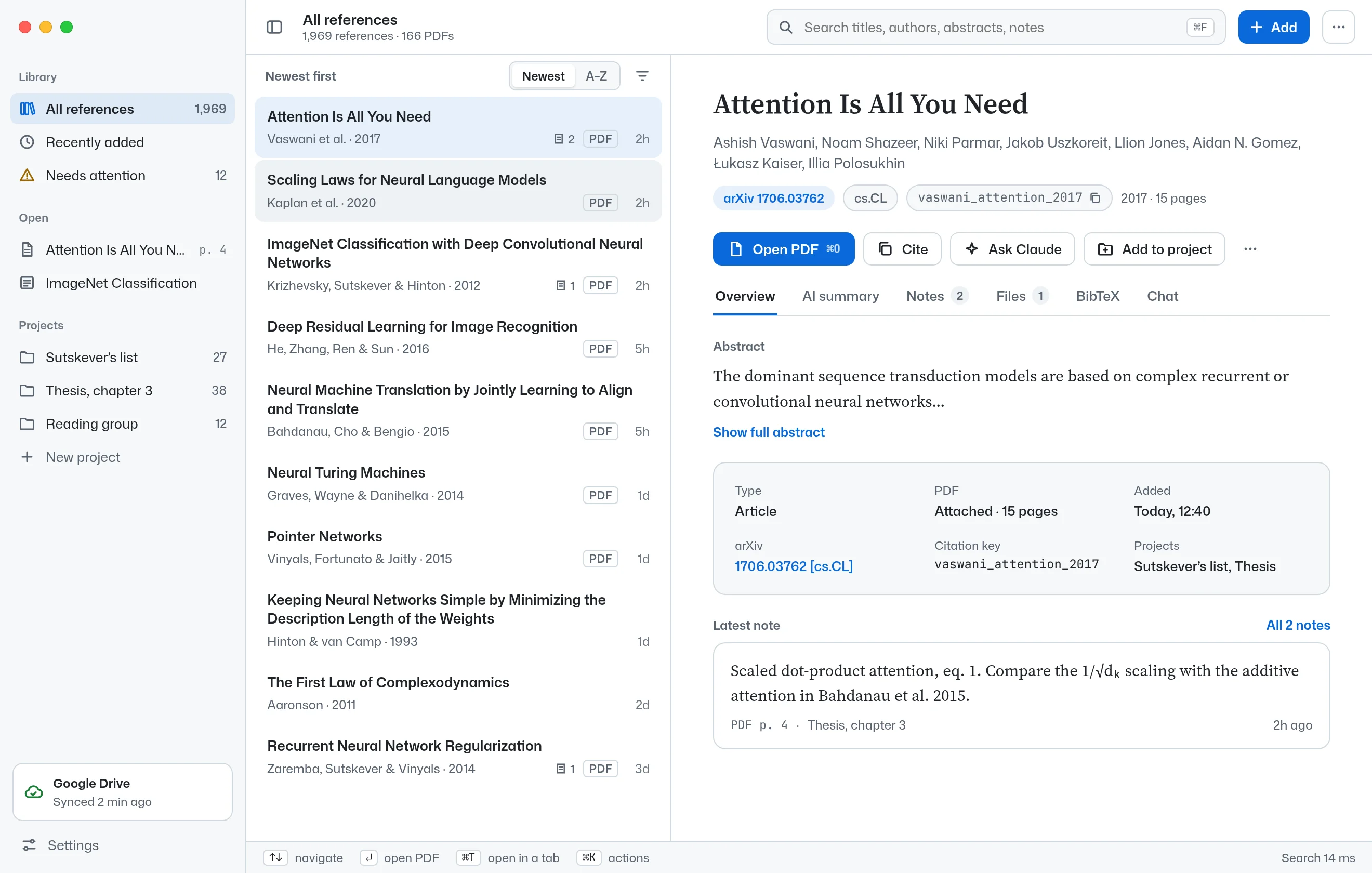
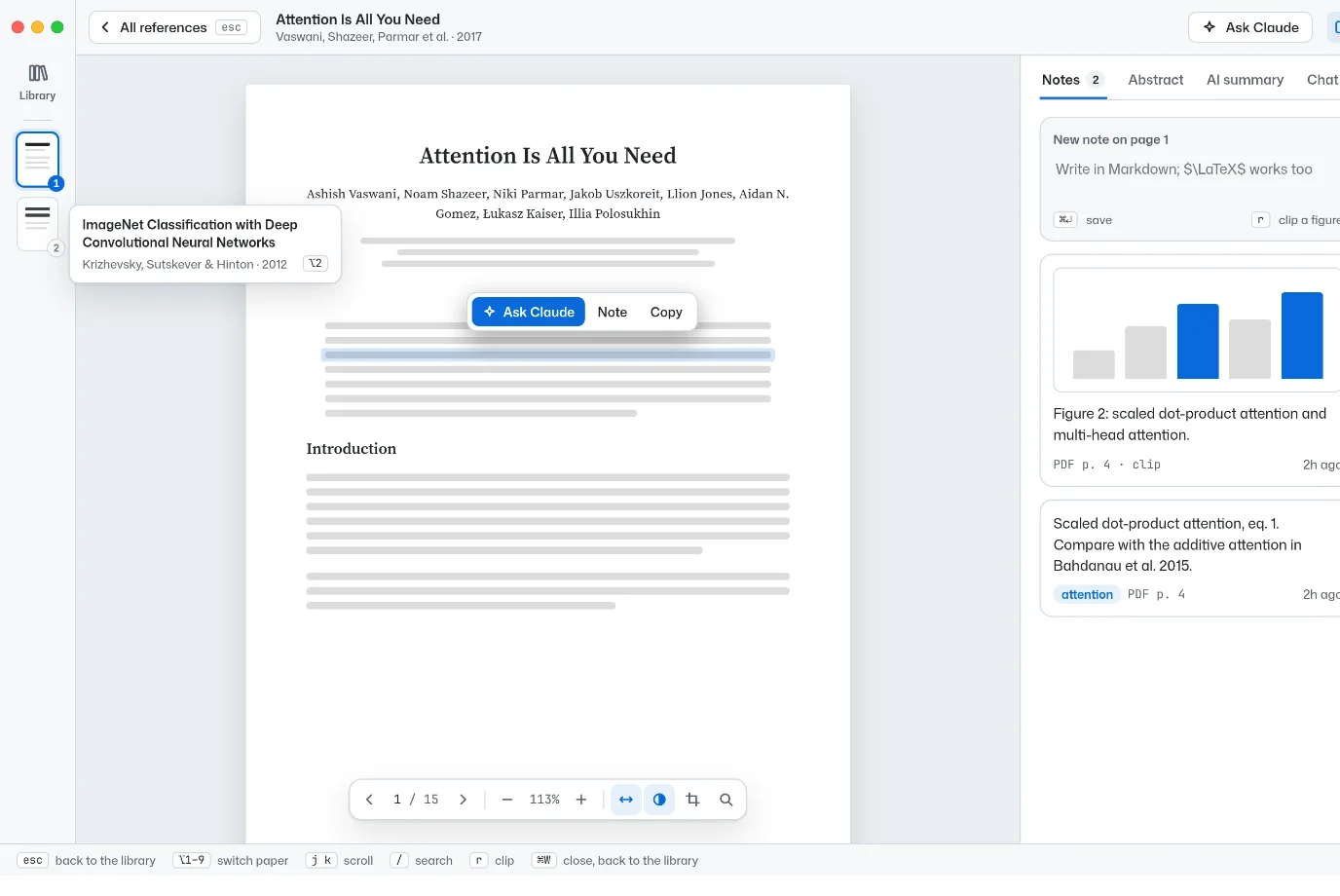
Omabib is a fast reference manager and PDF reader for Linux and macOS. Read, annotate and organize your literature with your own agent working alongside you: it reads the paper you have open, answers with page references, and saves notes when you ask. A fast MCP server is built in, so Claude Code, Codex or any other MCP client can use your library too.
Install
Open a terminal and paste:
curl -fsSL https://github.com/atomashevic/omabib/releases/latest/download/get.sh | shThen open Omabib from your applications (Spotlight or Launchpad on a Mac), or run omabib open. On Omarchy, Super+Alt+B shows or hides the window.
- Runs on Linux on x86-64 (Ubuntu 22.04 or newer, Debian 12, Fedora, Arch and most others) and macOS 13 or newer on Apple silicon.
- No admin password or developer tools. Everything goes into your home folder, checked against the release's checksums first (the script).
- A normal desktop already has the libraries. On a minimal Linux system the installer stops and prints two package lists: fontconfig and freetype for the
omabibcommand, and OpenGL, X11 and xcb for the window. It uses apt, dnf or pacman, and it copies nothing until those packages are installed. - To update, run the same command again. Your library and settings stay as they are.
On a Mac, the first time you open Settings or a chat, macOS may offer to install its command line tools, which include Python. Accept, and you're set.
What it does
|
Fast search as you type Ctrl+F |
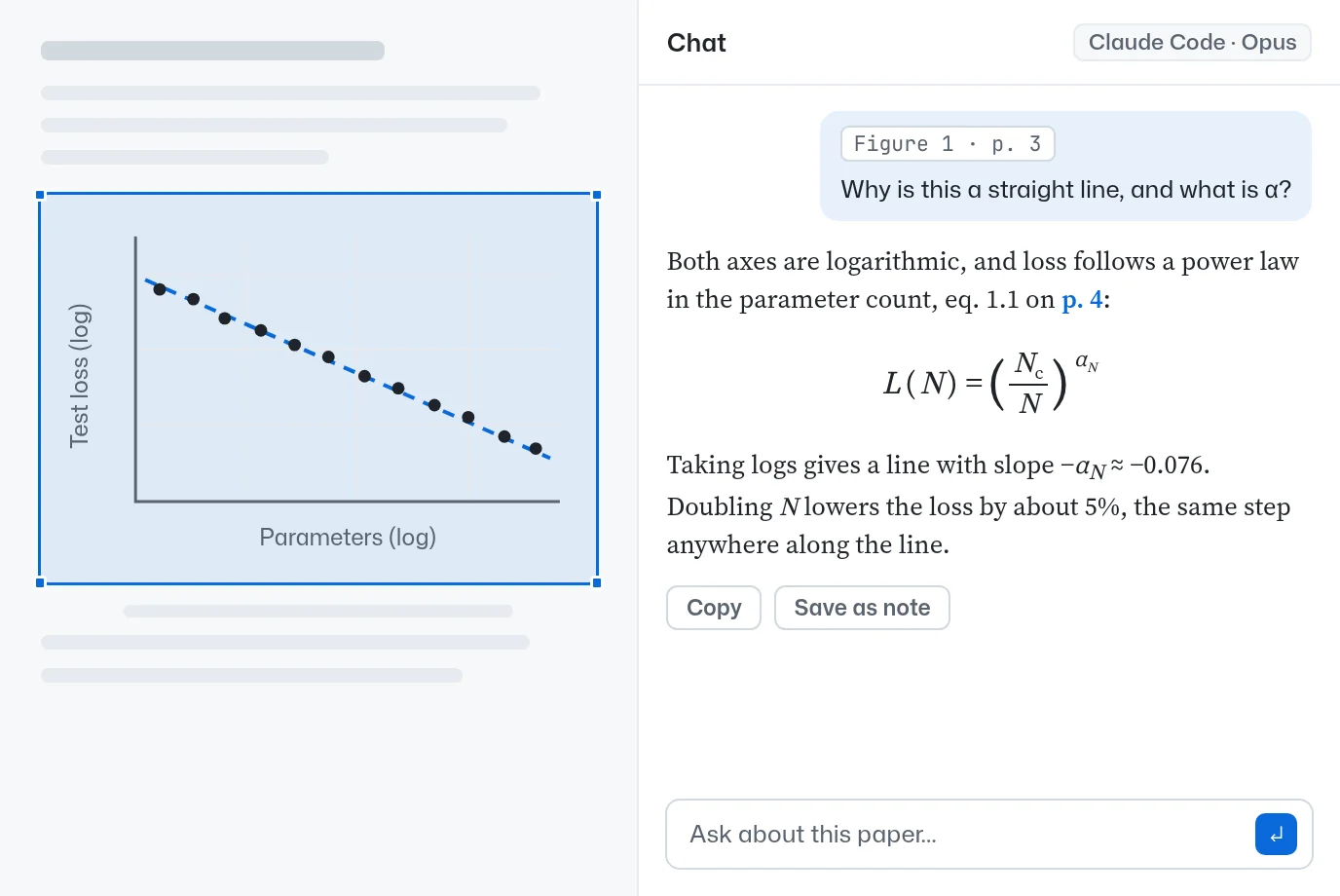
Bring your own agent c |
|
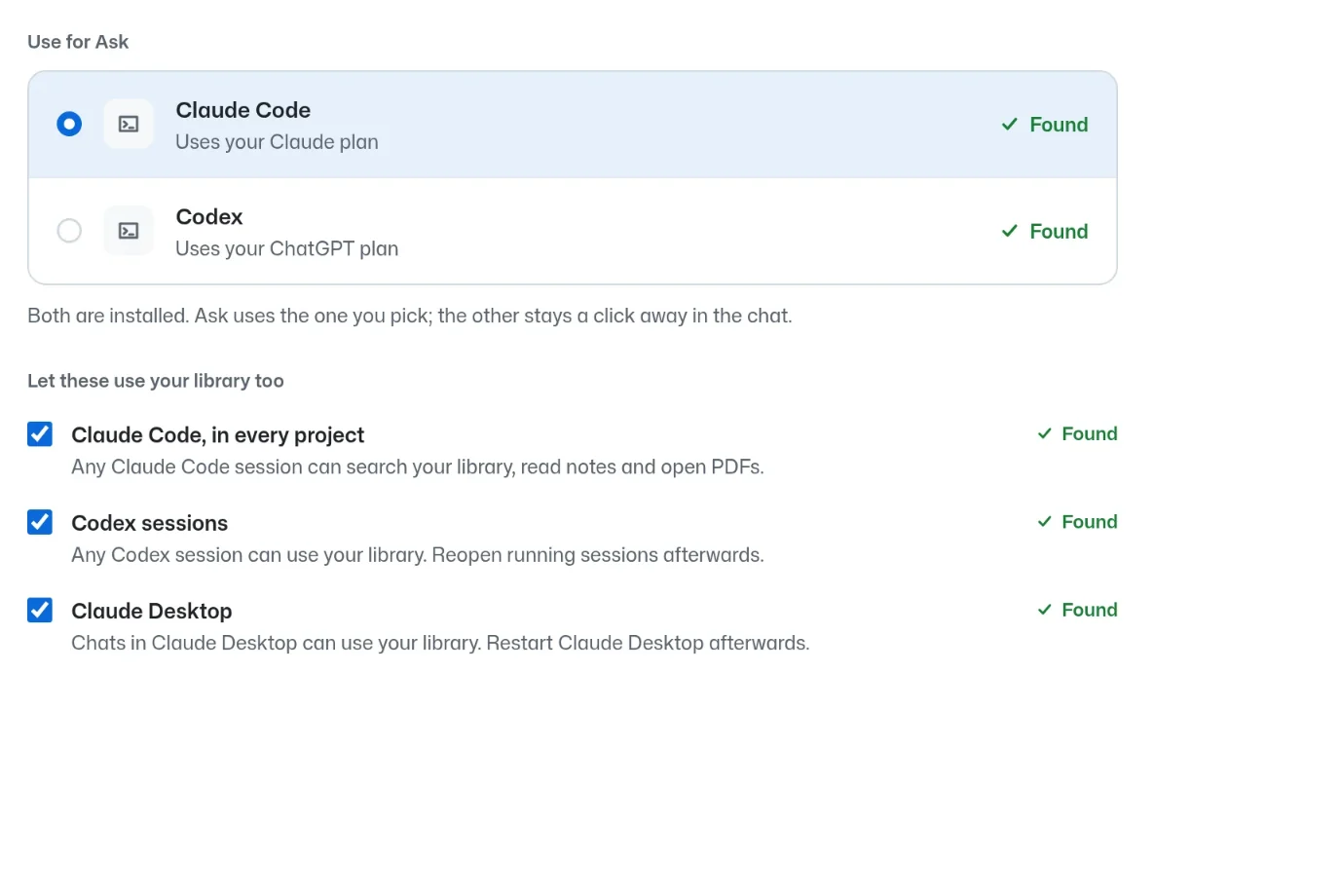
First-class MCP, built in |
Read PDFs in tabs Enter |
|
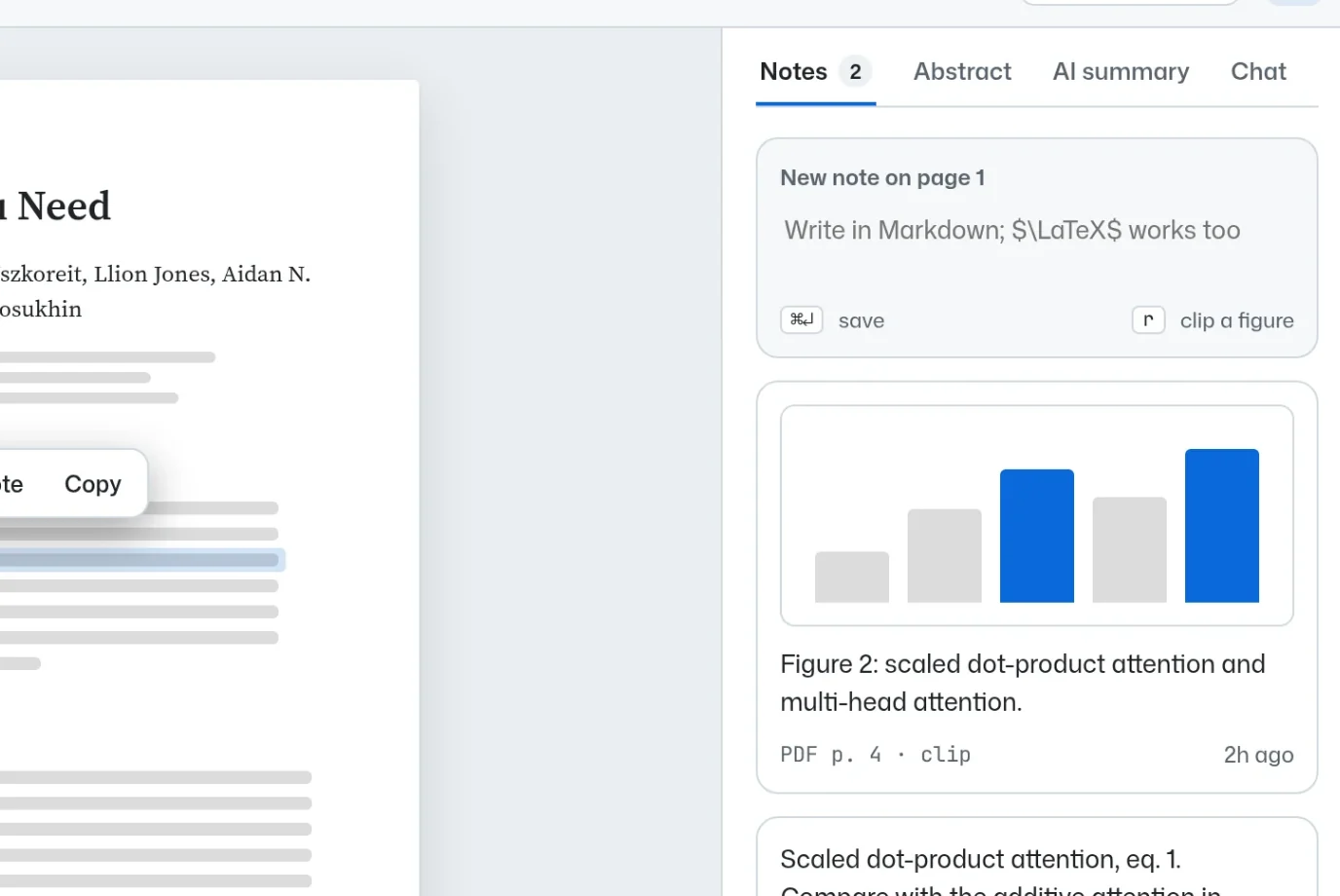
Clip a figure into a note r |
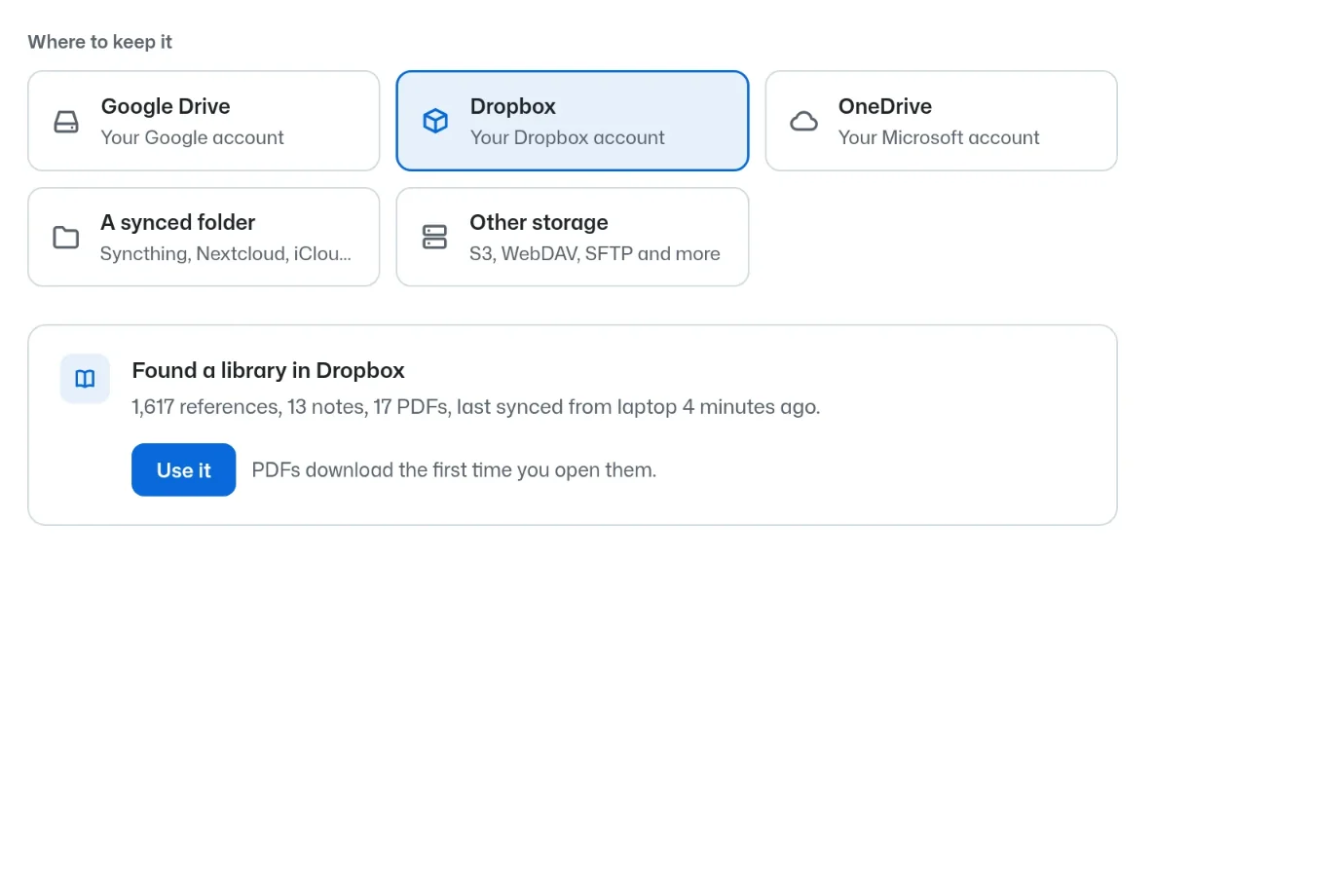
Sync through your own storage |
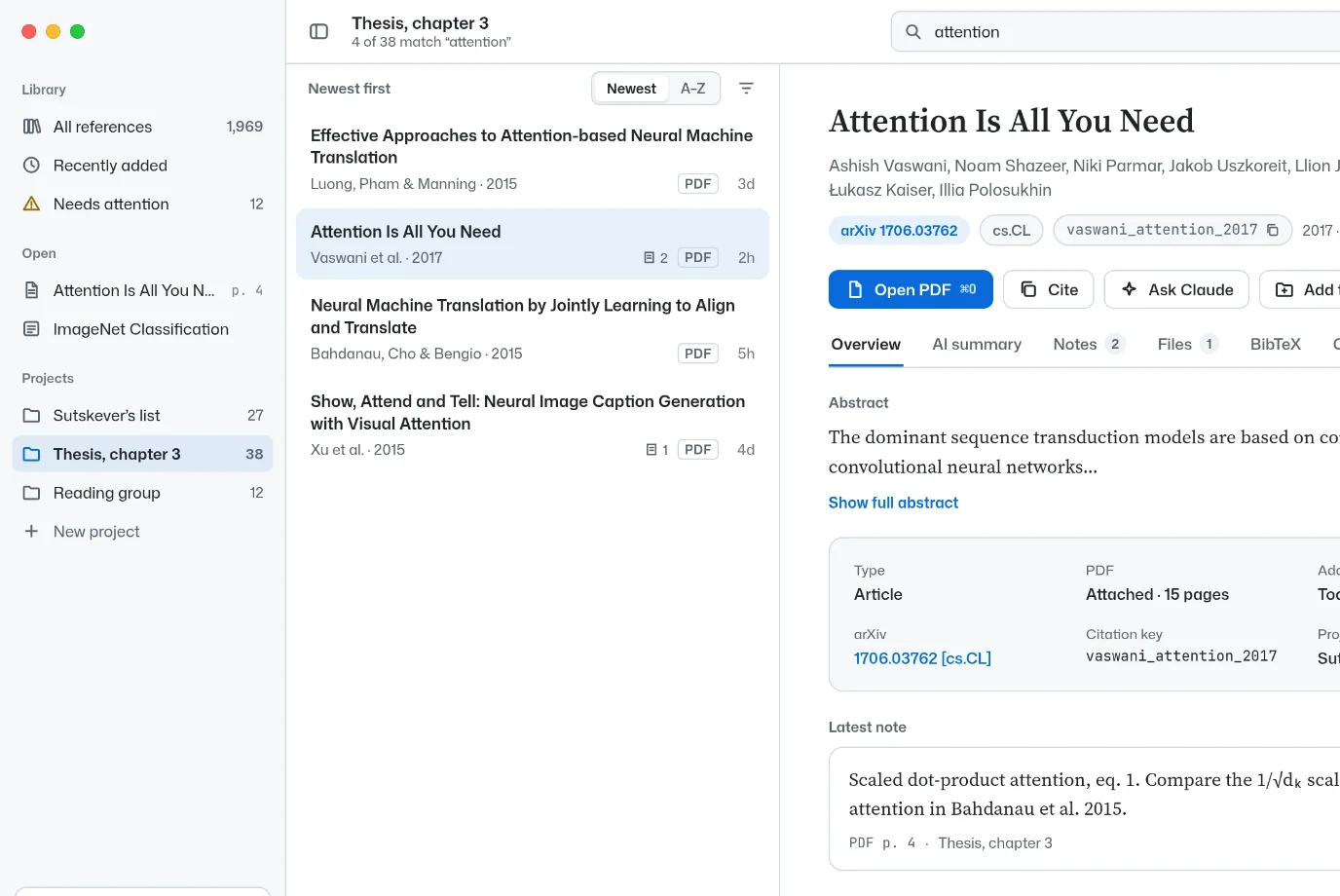
Cite in a click. Cite on any paper copies its citation key, a LaTeX \cite{…}, a Pandoc or Quarto [@…] citation, or the full BibTeX entry. Copy project bibliography in Ctrl+K copies a whole project's BibTeX.
Get started
- Add a paper. Click Add and paste a DOI, an arXiv ID, a link to the paper, or a BibTeX entry, or paste one straight into the search box and press Enter. Omabib fills in the details, finds the abstract, and downloads an open-access PDF when there is one. If you already have the PDF, click Add PDF or drop it on the window: Omabib reads the DOI, arXiv ID, ISBN or title printed in it and looks the paper up.
- Bring your existing library. Coming from Zotero? Import from Zotero… on the welcome page (or in Settings) brings over its references with their citation keys, PDFs, notes, highlights and collections, and leaves Zotero as it is. From Mendeley or any other manager, export a
.bibfile and choose Import BibTeX file…. - Organize. Click New project in the sidebar, then Add to project on any paper. Each project keeps its own notes.
Your agent, alongside you
- Open a paper and click Ask Claude (or Ask Codex, chosen in Settings). Select a passage in the PDF and press c to ask about just that part.
- It uses your own Claude Code or Codex login: install one and sign in once. The rest of Omabib works without any AI account.
- Your other agents get your library too. A new library connects the Claude Code, Codex and Claude Desktop it finds, adding Omabib's MCP server and its skill, and the welcome page shows which. Later, Settings → Your library in other agents connects one you install afterwards. Any other MCP client can run
omabib mcp.
Sync between your computers
Click Sync at the bottom of the sidebar and pick where to keep your library. Cloud storage works through rclone, a free sync tool; if you don't have it, install it once with brew install rclone on a Mac, or sudo apt install rclone, sudo dnf install rclone or sudo pacman -S rclone on Linux. Signing in needs rclone 1.56 or newer; Ubuntu 22.04 packages 1.53, so there use the script from rclone.org/install.
Everything is a keystroke away
And a button too, for the mouse. On a Mac, ⌘ takes the place of Ctrl and ⌥ of Alt.
| In the library | In a PDF | ||
|---|---|---|---|
| Ctrl+K | every action | j k, wheel | scroll |
| Ctrl+F | search | Ctrl + wheel, + − | zoom |
| Enter | open the PDF | w / z | fit width / page |
| Tab | paper details | middle-button drag | pan |
| Ctrl+T | open in a tab | gg / G | first / last page |
| Ctrl+P | switch project | /, n N | find, next, previous |
| Ctrl+1…6 | detail sections | m / r | highlight / clip into a note |
| Alt+1…9 | switch tabs | a | note on this page |
| Ctrl+W | close the tab | c | quote the selection in the chat |
| Esc | back, or hide | Ctrl+R | theme or original colors |
Closing the window keeps Omabib ready in the background, so it opens instantly. On Omarchy, the installer binds Super+Alt+B to omabib open in ~/.config/hypr/bindings.lua. Elsewhere, add a shortcut for omabib open in your desktop's keyboard settings. omabib add opens straight into the add box.
On Omarchy, a new install follows the theme you have open, and an open window switches with it. mode light or dark in that theme is honored. System, Light or Dark chosen in Settings stay as they are. Titles and notes stay in Mona Sans or Source Serif 4.
Your library stays yours
Omabib runs on your computer and keeps your library there. Sync goes straight to storage you already have. See the privacy policy.
- Free and open source: AGPL, no subscription.
- No servers, no analytics: nothing to sign up for, nothing tracked.
- Your files: the library, the PDFs Omabib downloads and copies of the PDFs you import live in
~/.local/share/omabib/. A PDF you attach to a paper already in the library stays where it is. - No lock-in: BibTeX in and out, and
omabib backup ~/omabib-backup.dbmakes a backup any time.
Uninstall
This removes the app and keeps your library. Delete ~/.local/share/omabib too if you want it gone. Settings in ~/.config/omabib stay as well.
Linux:
python3 ~/.config/omarchy/plugins/io.github.atomashevic.omabib/scripts/omabib-plugin remove-backendFrom a source checkout, run python3 scripts/omabib-plugin remove-backend. The command quits the app, stops and disables omabib.service when that unit is installed, and removes the unit, the menu entry, the icons, ~/.local/lib/omabib, and the omabib commands. It removes the shell plugin only when that directory contains .omabib-managed. A Git checkout is left in place, and the command prints omarchy plugin remove io.github.atomashevic.omabib.
macOS:
omabib-desktop --quit; pkill -f 'omabib serve'
rm -rf ~/Applications/Omabib.app
rm -f ~/.local/bin/omabib ~/.local/bin/omabib-*
Troubleshooting
omabib: command not found. Open a new terminal. If that doesn't help, add~/.local/binto yourPATH: putexport PATH="$HOME/.local/bin:$PATH"at the end of~/.profile(on a Mac,~/.zprofile).- The installer says
python3is missing. Omabib's helpers use Python 3, which most Linux desktops include. Install it (sudo pacman -S python,sudo apt install python3orsudo dnf install python3) and run the install command again. - The installer lists missing Linux libraries. It prints one command for the
omabibprogram (fontconfig and freetype) and another for the window (OpenGL, X11 and xcb), for apt, dnf or pacman, then exits. Nothing is installed. Install those packages and run the command again. - The app doesn't open on Linux. Run
omabib-desktopin a terminal to see why. - macOS says Omabib can't be opened. That happens only to a copy downloaded with a web browser. Run
xattr -dr com.apple.quarantine ~/Applications/Omabib.app, or install with the command above instead. - Chat can't find Claude Code or Codex. Install it, run
claudeorcodexonce in a terminal to sign in, then choose it in Settings. - Something else? Open an issue with what happened and the output of
omabib --versionanduname -sm.
Learn more
- User guide: every feature in detail: tabs, the PDF reader, notes, chat, sync, metadata, search and the command line.
- Agent guide and API: what agents can do with your library, and the JSON operations behind it.
- Development: building from source, tests and releases.
License
Omabib is free software under the GNU Affero General Public License v3.0 or later, Copyright (c) 2026 Omabib contributors. It uses MuPDF (AGPL-3.0) to render PDFs, and Typst with the embedded mitex scope in src/mitex/ (Apache-2.0) to render math.