Define, distribute, and enforce desktop configuration policies across your fleet - in real time. Open source, secure by default, built for enterprise Linux.
Bor - Policy Management
How it works
A central server, lightweight agents, real-time streaming
Centralized management
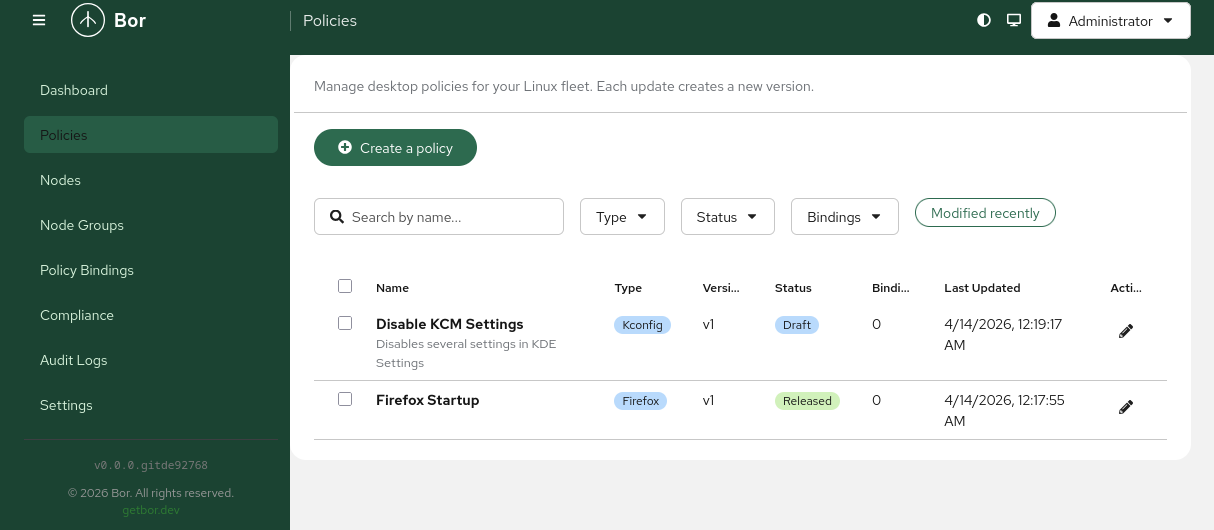
Author and manage policies from a web console built with PatternFly. Organize nodes into groups and control access with RBAC.
Real-time delivery
Policies stream to agents over gRPC the moment they change. Delta sync minimizes bandwidth; snapshot fallback guarantees consistency.
Secure by default
mTLS with an auto-generated internal CA. One-time token enrollment. No shared secrets, no polling, no plaintext.
Built for enterprise Linux
Lightweight, native, and open source
Zero-touch enrollmentOn domain-joined machines, agents enroll automatically using their Kerberos ticket - no tokens, no manual steps. For machines outside a domain, a short-lived one-time token generated from the web UI is used instead. Either way, mTLS certificates are exchanged automatically after the initial authentication and stored securely on the agent.
Real-time policy deliveryPolicies reach every enrolled node the moment they are published. Persistent gRPC streams and delta sync keep bandwidth minimal and guarantee consistency - even across thousands of nodes or through network interruptions.
Compliance without complexityEvery policy change, authentication event, and enforcement action is recorded in a tamper-evident audit log. Built-in RBAC, LDAP/AD integration, and support for Kerberos and WebAuthn align access controls with your existing directory services - ready for compliance reviews out of the box.
Simple to deploy and operateA single server binary backed by PostgreSQL, and a single lightweight agent. No message queues, no sidecars, no external dependencies. Install from a native package, manage with systemd - from zero to your first enrolled node in minutes.
Supported policies
What Bor can configure on your Linux desktops today